
Phone Data Recovery | Powerful Steps After Losing Your Photos
If you need phone data recovery services because important photos, videos, contacts or files have disappeared, do not panic. A...
Learn More
If your Samsung Galaxy phone loses charge quickly, switches off unexpectedly, or struggles to last through the day, you may need to replace Samsung phone battery. However, these symptoms do not always mean the battery has reached the end of its useful life. Background applications, charging accessories, software issues, and environmental conditions can also affect battery performance.
Before you replace samsung phone battery, check the battery’s condition and identify what is causing the problem. A few simple tests can help you decide whether to adjust your phone’s settings, change a charging accessory, or arrange a professional inspection.
This guide explains seven warning signs, how to check battery health, what affects Samsung Galaxy phone battery replacement costs, and how to choose a repair service in Perth.
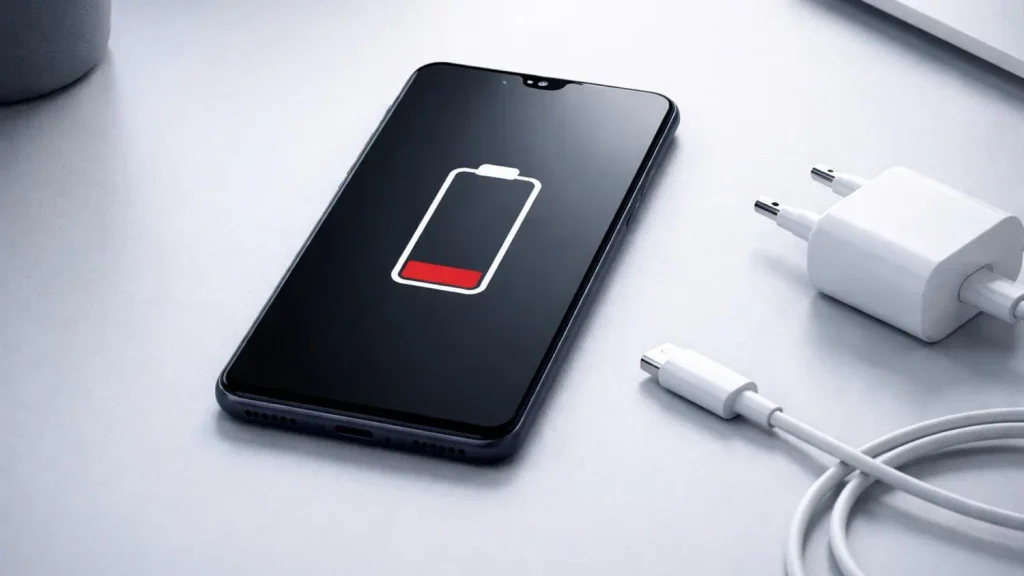
Lithium-ion batteries gradually lose capacity through normal use. As a battery ages, it may store less energy than it did when the phone was new. The following signs can help you recognize when it is time to investigate the problem.
One of the clearest signs of battery deterioration is a noticeable reduction in everyday battery life.
For example, your Galaxy phone might once have lasted from breakfast until bedtime with moderate use. Now, you may need to charge it during the afternoon despite following the same routine.
Before you replace Samsung phone battery, check which applications consume the most power. Video streaming, navigation, mobile gaming, video calls, and applications that frequently access your location can use substantial energy.
Open your phone’s settings and look for the Battery section. Depending on your model and software version, you may be able to review battery usage by application.
If one application accounts for an unusually large share of consumption, update it, restrict unnecessary background activity, or uninstall it if you no longer need it.
If battery life remains poor after these checks, the battery itself may have deteriorated. Samsung recommends checking battery condition and seeking professional assessment when rapid drain persists.
Unexpected shutdowns can indicate that an aging battery is struggling to supply the power your phone needs.
You might see 20% battery remaining, open the camera or another demanding application, and find that the phone suddenly switches off. It may restart only after you connect a charger.
This can happen when a deteriorated battery cannot maintain a stable voltage under load. Cold conditions can make the problem more noticeable.
However, a shutdown does not prove that the battery is faulty. Software errors, overheating, damaged charging components, and other hardware problems can cause similar symptoms.
Record when the shutdown happens and whether it occurs at a particular battery percentage. If the problem repeats, arrange a diagnostic assessment rather than assuming a decision to replace samsung phone battery will solve it.
Your Samsung Galaxy phone includes diagnostic tools that can help you assess battery performance.
To check the battery before you replace samsung phone battery:
Samsung Members may report a status such as Normal, Weak, or Bad. The available labels and menu locations vary by device and software version.
A normal result suggests that the diagnosis has not identified a battery problem. A weak result indicates that battery performance may have declined. A bad result suggests that the battery requires closer attention.
If the diagnostic reports poor battery condition, consider arranging a professional inspection. This is particularly important if you also experience short battery life or unexpected shutdowns.
A diagnostic result is useful evidence, but it does not replace a complete assessment when the phone has several faults. Thus, you need to replace samsung phone battery.
Some Samsung Galaxy devices display a notification when battery performance has deteriorated significantly.
If you receive a battery performance warning, read the message and follow the recommended checks. You may need to open Samsung Members or contact an authorized repair provider for further assessment.
Do not dismiss repeated warnings simply because the phone still turns on and charges.
When deciding whether you replace Samsung phone battery, consider the warning alongside other symptoms. A warning combined with rapid drain and repeated shutdowns provides stronger grounds for a replacement assessment than a single unexplained drop in battery percentage.
You should also check whether the device remains under warranty. Depending on the circumstances and applicable coverage, you may have repair options that differ from a standard paid replacement.
A battery indicator that drops sharply or behaves inconsistently can be another warning sign.
For example, the phone may show 45% charge and then fall to 25% over a short period without unusually heavy use. It might also shut down and display a different percentage after restarting.
Battery aging can contribute to these symptoms, but software reporting issues and other faults can produce similar behavior.
Start by restarting the phone and installing available system updates. Check battery usage and observe whether the problem continues over several normal charging cycles.
Avoid repeatedly draining the phone to zero in an attempt to recalibrate it. Modern lithium-ion batteries do not need regular full discharges, and deliberately exhausting the battery is unnecessary for routine maintenance.
If the readings remain erratic, a technician can assess whether you need to replace samsung phone battery or another component needs attention.
A Samsung phone that charges slowly may have a battery problem, but several other causes are possible.
The charger may not support the phone’s expected charging speed. A damaged cable, dirty charging port, incompatible adapter, or background activity can also affect charging time.
Before arranging to replace samsung phone battery, try these checks:
If charging remains unusually slow with suitable accessories, the charging port, power-management circuitry, or battery may need inspection.
A battery replacement will not necessarily fix a damaged charging port. A technician should identify the likely fault before recommending parts.
Physical changes require more urgent attention than ordinary battery deterioration.
A swollen battery can push the screen or rear cover away from the phone’s frame. You may notice a gap that was not there before, a bulging case, or unusual pressure on the display.
Stop using and charging the phone if you suspect the battery is swollen or damaged. Do not press the cover back into place, puncture the battery, or attempt to remove it yourself. Keep the device away from heat and combustible materials, provided you can do so without handling a hot or damaged phone unnecessarily. Seek professional guidance on safe handling and repair.
If the phone becomes unusually hot, emits an unusual smell, leaks, or produces smoke, treat it as a potential battery safety incident. Move away from the device if there is an immediate hazard and contact emergency services if necessary.
A physically damaged battery should not be treated as an ordinary maintenance issue. Arrange safe professional assessment rather than continuing to use the phone until it stops working.
Before paying for a replacement, work through a short diagnostic process. These steps can help distinguish battery aging from problems caused by applications, settings, or accessories.
Open Settings and select Battery, or use the equivalent menu on your model.
Review the applications consuming the most power. If a recently installed application uses an unusually large amount of energy in the background, restrict its activity or uninstall it to see whether battery life improves.
Compare usage under similar conditions. A day spent navigating, recording video, or gaming is unlikely to produce the same battery life as a day spent reading messages.
Use Samsung Members to check battery status. If the result indicates that the battery is weak or requires attention, follow the suggested next steps.
Samsung’s official instructions are available in its Galaxy battery diagnostic and replacement guide.
Try a known-good charger and compatible cable. Inspect the accessories for damage and check for charging warnings.
If the phone charges normally with another accessory, the original charger or cable may be responsible.
Software updates may resolve bugs that affect battery usage. Back up important information before a major update, then install the update through the phone’s software settings.
After updating, allow normal use to resume before judging whether battery performance has improved.
If rapid drain, shutdowns or poor diagnostic results continue, ask a repair technician to inspect the battery and charging system.
When you need to replace Samsung phone battery, a technician should confirm the exact device model, assess the symptoms and explain the recommended repair before starting work.
Samsung Galaxy battery replacement costs depend on the model, the battery part, labour and the repair provider.
Older Galaxy models may have more affordable replacement options. Newer flagship devices and phones with more complex internal construction can cost more to service.
FoneDoc Perth lists phone battery replacement services starting from $60. This is a general starting price, not a guaranteed price for every Samsung Galaxy model. Confirm the cost for your exact device before authorising the work.
| Cost factor | How it affects your quote |
|---|---|
| Phone model | Different Galaxy models use different batteries and internal layouts. |
| Replacement part | Part availability and specifications affect the price. |
| Labour | Some phones require more disassembly than others. |
| Additional damage | A damaged charging port or frame may require separate work. |
| Warranty | Check what coverage applies to the replacement battery and installation. |
When comparing quotes to replace samsung phone battery in Perth, ask whether the price includes the battery, installation, testing and warranty.
A low advertised price may apply only to selected models. Make sure you are comparing the same repair scope rather than assuming every provider offers an equivalent part and service.
You can review FoneDoc Perth’s phone repair services to check the available battery replacement options.
Replacing the battery can be a practical choice when your phone still meets your needs and the battery is the main problem.
Consider the following factors before deciding.
| Consideration | Battery replacement may suit you when… | A new or refurbished phone may suit you when… |
|---|---|---|
| Overall performance | Your phone runs applications reliably. | It struggles with everyday tasks. |
| Repair cost | The battery quote is affordable. | Several repairs would be required. |
| Software support | Your device still receives the updates you need. | It no longer meets your security or application requirements. |
| Physical condition | The screen, frame and other components are in good condition. | The phone has significant damage beyond the battery. |
| Storage and features | Your existing phone meets your needs. | You need more storage or newer features. |
For example, if your Galaxy phone works well but its battery no longer lasts through a normal day, a decision to replace samsung phone battery may extend its useful life at a reasonable cost.
If the phone also has a cracked screen, charging faults and limited software support, compare the combined repair costs with a suitable replacement.
Do not decide solely on the phone’s age. Its condition, repair price and expected future use are more useful factors.
A good repair service should explain the work clearly and provide a quote for your exact model.
Before choosing a provider, check the following.
1. Confirm the exact model. Galaxy S, Galaxy A, Galaxy Note and Galaxy Z devices can have different battery specifications. Provide the full model name or model number.
2. Ask about the replacement battery. Find out whether the part is original manufacturer stock or a compatible replacement, and ask what is known about its specifications and quality.
3. Confirm the total price. Ask whether the quote includes installation, testing and any applicable warranty. Confirm that additional work requires your approval.
4. Ask about turnaround time. Some common battery replacements can be completed quickly when parts are available. Other models may take longer because of their construction or parts availability.
5. Check the warranty terms. Ask how long the replacement battery is covered and what exclusions apply. Keep the receipt and any written warranty information.
6. Ask about data protection. A battery replacement should not normally require you to erase your phone, but repair procedures vary. Back up important files and ask whether the technician needs the device unlocked for testing.
FoneDoc Perth provides Samsung Galaxy battery replacement and other phone repair services at its Perth CBD location. You can use the online repair booking and quote page to provide your device model and describe the battery problem.
A replacement battery will gradually lose capacity through normal use. You cannot prevent this process completely, but sensible charging habits and temperature management can help avoid unnecessary stress.
You do not need to follow a rigid charging routine. Charge your phone when convenient, use suitable accessories and avoid exposing it to unnecessary heat.
If your Galaxy phone drains quickly, shuts down unexpectedly or reports poor battery condition, start with Samsung Members diagnostics and a review of battery usage. Check your charger and cable before assuming the battery is responsible.
If the symptoms persist, professional testing can help determine whether you need to replace samsung phone battery or another component is causing the problem.
FoneDoc Perth offers battery replacement for Samsung Galaxy devices and other supported phone brands. Its published service information lists battery replacement from $60, with the final price depending on the device and repair requirements.
Before arranging a repair, confirm the quote, replacement part, estimated turnaround and warranty. If the battery appears swollen or physically damaged, stop using and charging the phone and seek safe professional guidance.
To discuss your device, request a phone repair quote from FoneDoc Perth. Provide your Galaxy model and a description of the symptoms so the team can advise you on the next step.
If you need phone data recovery services because important photos, videos, contacts or files have disappeared, do not panic. A...
Learn More
If you are looking for iPhone screen repair perth services after dropping your phone, you are not alone. A cracked...
Learn More
If your iPhone Face ID not working problem has suddenly appeared, you may find that you can no longer unlock...
Learn More