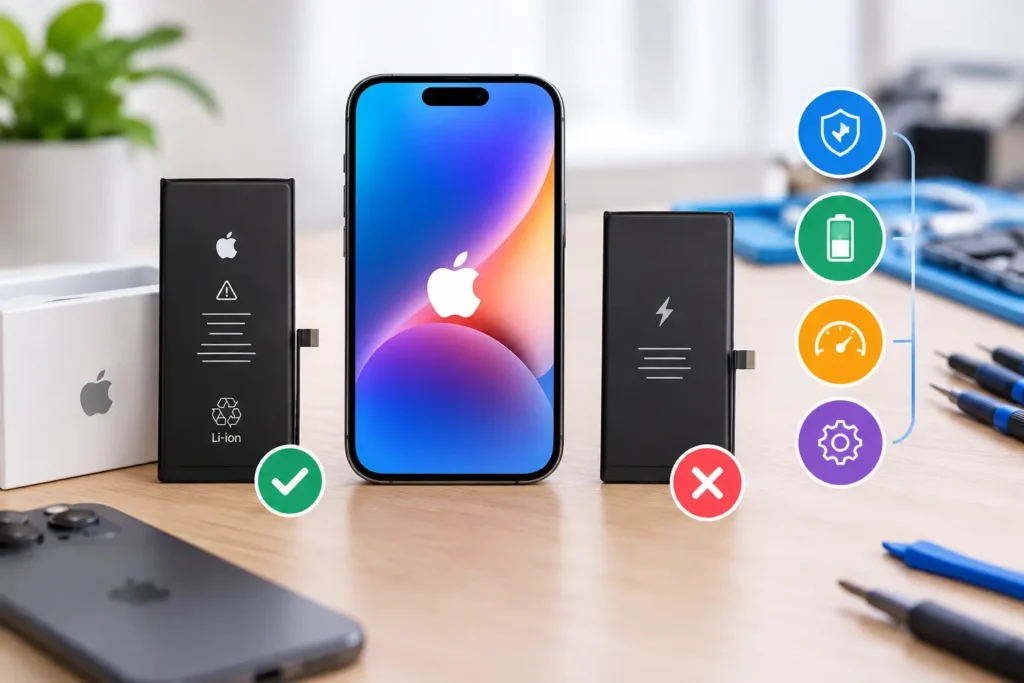
iPhone Battery Replacement | Genuine vs Third-Party, and What Actually Matters
Your iPhone used to get you through a full day. Now it's at 30% by lunchtime, it switches off without...
Learn More
A cracked or damaged iPad screen can make everyday tasks difficult. You might struggle to read documents, attend online meetings, take notes, watch videos or use your favourite apps. If you need iPad screen replacement Perth, understanding the damage and your repair options can help you make a better decision.
Not every damaged iPad needs the same type of repair. Some devices have broken outer glass but still display images correctly. Others have damaged LCD or OLED panels, touch problems or internal faults caused by a hard drop.
The right solution depends on your iPad model, the type of display it uses and the condition of the device.
In this guide, we explain seven important things to check before arranging an iPad screen repair. You will also learn how to identify common screen problems, prepare your device and choose a repair provider in Perth.
The first step is working out which part of your iPad screen has been affected.
An iPad display is more than a piece of glass. Depending on the model, it contains several components that work together to show images and respond to touch.
A problem with one component does not always mean the entire display has failed.
The outer glass protects the display underneath. If your iPad has a small crack but still shows clear images and responds normally to touch, the damage may be limited to the glass.
However, this does not mean the device is safe to keep using.
Small cracks can spread when pressure is applied. They can also leave sharp edges that may cut your fingers.
Avoid pressing the damaged area or carrying the iPad without protection.
Some iPad models use LCD technology, while others use OLED displays.
When the actual display panel is damaged, you may notice:
These problems often appear after the iPad has been dropped or hit by a hard object.
If the iPad still makes sounds or responds to buttons but displays nothing, the screen assembly or another internal component may be affected.
Another common issue is a screen that displays images but does not respond correctly.
You might notice:
These symptoms can indicate a problem with the touch-sensitive layer or display assembly.
They may also have other causes, so a technician should inspect the device before recommending a replacement.
One of the most important questions before arranging an iPad screen replacement Perth is whether the damage affects only the outer glass or the complete display assembly.
The answer depends on the model and its construction.
Some older iPad designs have separate glass and display components. Certain models have these parts bonded together, which can make individual glass replacement more difficult or unsuitable.
Newer designs also differ in how their display components are assembled.
Here is a simple comparison.
| Screen condition | What you may notice | What needs checking |
|---|---|---|
| Cracked glass | Visible cracks but normal picture | Whether glass can be replaced separately |
| LCD damage | Lines, black patches or distorted images | Display panel condition |
| OLED damage | Dark areas, colour changes or display failure | OLED panel condition |
| Touch failure | Screen does not respond correctly | Digitiser and display assembly |
| Complete screen failure | No picture or touch response | Display connection and internal hardware |
A technician should identify the exact iPad model before deciding which repair is suitable.
Two iPads can look almost identical but use different screen assemblies.
For example, an iPad Air and an iPad Pro may have different display specifications, connectors, dimensions and replacement requirements.
Even different generations of the same iPad range can use different parts.
Before requesting a quote, find your model number.
You can usually find it by following these steps:
If your screen is too damaged to access Settings, check the small model information printed on the back of your device or use Apple’s model identification guide.
You can use Apple’s official resource here:
Identify your iPad model | Apple Support
Providing the model number helps a repair shop check the correct screen, parts availability and repair options.
Not every iPad has the same display technology.
Understanding the difference can help you ask better questions when comparing screen replacement options.
LCD stands for Liquid Crystal Display.
LCD screens use a backlight to illuminate the pixels that create images.
They are found in many standard iPad models and some older iPad Air and iPad Pro devices.
Common characteristics include:
If an LCD panel is damaged, you may see dark patches, lines, flickering or areas where the picture disappears.
OLED stands for Organic Light-Emitting Diode.
Unlike LCD technology, OLED pixels produce their own light.
This allows OLED displays to produce deep blacks because individual pixels can switch off completely.
Depending on the iPad model, OLED screens can also offer:
Apple introduced tandem OLED technology in its iPad Pro models released in 2024.
This is one reason why identifying the exact model is important before arranging a screen repair.
Yes, a replacement screen should be suitable for the exact device model.
Poor-quality or incompatible components can cause problems such as:
Apple explains some of the possible differences between genuine and non-genuine replacement displays in its official guide:
About genuine iPad displays | Apple Support
When discussing a replacement, ask the technician which display component will be installed and whether its specifications are appropriate for your iPad.
A damaged screen does not always show obvious signs of failure.
Sometimes the iPad continues working normally for several days after an accident before new problems appear.
Here are seven signs worth checking.
A small crack can become larger when the iPad is placed inside a bag, pressed against another object or handled roughly.
Avoid applying pressure to the damaged area.
Black patches can indicate damage to the display panel.
They may become larger over time, especially after physical impact.
Green, pink, white or other coloured lines may indicate a damaged display or connection.
Restarting the device might not solve a hardware-related problem.
If certain areas do not respond to touch, you may have a digitiser or display assembly issue.
Test the screen carefully without repeatedly pressing damaged areas.
A display that flashes, changes brightness unexpectedly or flickers continuously may have a hardware or software problem.
A technician can help identify the cause.
If the screen begins lifting away from the iPad body, do not push it back into place.
This may indicate damaged adhesive, a bent enclosure or a swollen battery.
Battery swelling needs particular attention. Stop using and charging the device if you suspect the battery has expanded. Do not press, puncture or attempt to flatten the screen.
A black screen does not automatically mean the iPad is beyond repair.
The issue could involve the display, battery, internal connections or another component.
A proper diagnostic assessment is needed before deciding on a repair.
Choosing a repair provider is not only about finding someone who can install a new screen.
You also want to know whether the replacement part is suitable, whether the repair is carried out correctly and what happens if something goes wrong afterwards.
Here are five things to consider.
iPads have different internal designs and display assemblies.
Ask whether the technician has experience working with your particular iPad generation.
A repair provider should be able to explain the problem and the proposed solution in plain English.
Do not assume every replacement screen offers the same performance.
Ask:
A professional repair provider should answer these questions before starting work.
Ask what the repair warranty covers.
For example, does it cover defects in the replacement component and installation?
Also check what is excluded, such as accidental damage or liquid exposure.
Get the warranty terms in writing rather than relying on a verbal promise.
Not every iPad screen is available immediately.
Some models have more readily available replacement components than others.
Ask the repair shop to confirm availability before travelling to the store.
This can save time, especially if you use your iPad for work or study.
A reliable repair provider should explain what needs to be replaced and provide a quote before proceeding.
The quote should make clear:
Avoid approving a repair if you do not understand what work is being performed.
Before handing over your device, take a few minutes to prepare it.
This helps protect your information and makes the repair process easier.
Your iPad may contain important photographs, documents, notes, schoolwork and business files.
Create a backup before arranging a repair whenever possible.
You can use iCloud or back up your iPad through a computer.
To check your iCloud backup:
Make sure the backup has completed before handing over your device.
Apple provides instructions for preparing an iPad for a service appointment:
Prepare your iPad for service | Apple Support
Take off the case and any detachable accessories unless the technician needs to inspect them.
If you use an Apple Pencil, bring it along if it is relevant to the display issue.
This allows the technician to check whether the accessory works correctly with the repaired device.
Take a few photographs of your iPad before the repair.
Record any existing cracks, dents, scratches or marks around the frame.
This gives you a clear record of the device’s condition before work begins.
Never share your Apple Account password or device security details casually.
Apple advises customers not to give their account password or device passcode to another person.
If a repair requires access to particular device functions, ask why and remain present when entering sensitive information.
Follow the official preparation instructions for your repair provider.
The exact process depends on the iPad model and the type of damage.
However, a professional assessment generally involves several stages.
The technician checks the outside of the iPad for cracks, dents, frame damage and other visible problems.
They may also check whether the device powers on and whether the display responds.
The exact model is confirmed so the correct replacement component can be selected.
This is important because different iPad generations can use different screen assemblies.
The technician checks the display and touch functionality.
If there are signs of internal damage, further testing may be required.
The repair provider explains the available options.
You should receive information about the proposed replacement component, the expected repair time and the total quote.
If you approve the work and the correct part is available, the technician carries out the repair using tools and methods appropriate for that model.
After installation, the device should be checked for:
Do not leave the shop without checking the repaired screen and understanding the warranty.
A damaged iPad can still appear usable, but some actions may make the situation worse.
Avoid these common mistakes:
Pressing down on cracked glass : Applying pressure can spread cracks or cause further damage underneath.
Using glue to hold the screen together : Household adhesives are not designed for electronic display assemblies. They can damage components and make professional repair more difficult.
Attempting a DIY screen replacement without experience : iPads are tightly assembled electronic devices. Opening one requires suitable tools and knowledge of the internal layout. Incorrect handling can damage cables, connectors, the battery or other components.
Ignoring a lifting display : A screen separating from its frame could indicate a swollen battery. Do not push it back into place.
Choosing a replacement without checking compatibility : A screen that looks similar may not be suitable for your particular model.
Forgetting to back up your data : Although screen replacement does not automatically mean your data will be erased, unexpected problems can occur during any repair process. A backup is a sensible precaution.
This depends on the condition of the device and how you use it.
A relatively recent iPad with a healthy battery and good overall performance may be worth repairing.
An older iPad with several problems may need a more careful comparison.
Consider these questions:
For example, imagine an iPad that works well for reading, online classes and document editing but has a cracked screen.
If the battery, charging port and other components are in good condition, a screen repair could help extend its useful life.
However, if the device also has charging problems, poor battery performance and internal damage, replacing it may make more sense.
Ask for a diagnostic assessment before making your decision.
If your iPad screen is cracked, flickering or no longer responding properly, the first step is to identify the model and understand the damage.
FoneDoc Perth operates from Murray Street Mall in Perth CBD and provides device repair services through its experienced repair team.
The business also lists Apple and iPad repairs among its supported repair categories. However, screen availability and the exact repair options should be confirmed for your individual model before visiting.
Before arranging a repair, have these details ready:
You can visit the FoneDoc Perth website to learn more about its services or use the repair enquiry and booking page to discuss your device.
A damaged iPad screen does not always mean you need a new device. Getting the right assessment, checking replacement quality and understanding the repair process can help you make a confident decision.
Your iPhone used to get you through a full day. Now it's at 30% by lunchtime, it switches off without...
Learn More
If your Samsung Galaxy phone loses charge quickly, switches off unexpectedly, or struggles to last through the day, you may...
Learn More
If you need phone data recovery services because important photos, videos, contacts or files have disappeared, do not panic. A...
Learn More