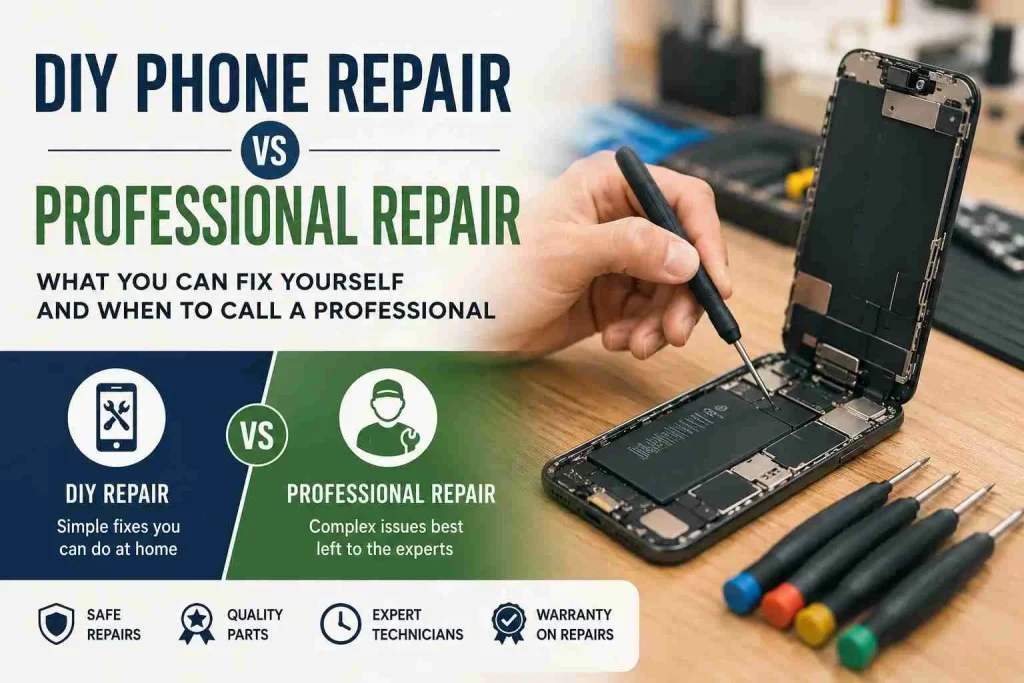
DIY Phone Repair vs Professional Repair: What Should You Choose?
Your phone screen is cracked or it just won’t charge anymore or it won’t turn on at all, the one...
Learn More
Phone speaker problems can be annoying. You may notice that your music sounds quiet and your videos may not sound as clear as they used to. Maybe voices sound muffled during calls, or your phone speaker makes a strange crackling or buzzing sound. Before you assume that your phone speaker is broken, check for something simple like dust and dirt.
Your phone speaker has very small openings. These openings let sound come out of the phone. Over time dust, pocket lint, dirt and other small bits can collect around these openings. This can block the sound and make your phone speaker sound weaker.
Apple recommends checking the speaker opening when an iPhone has no sound or distorted sound. Samsung also says a speaker can sound muffled or quiet when it is wet or blocked. Google recommends checking and gently cleaning dirty speakers on Pixel phones.
The good news is that a dirty speaker does not always mean you need a repair. In this guide, we will explain the warning signs, why dust affects your phone speaker, how to clean it safely, what you should avoid, and when it is time to ask a phone repair expert for help.
It is easy to forget that your phone is exposed to dust every day. You may keep it in your pocket, handbag, backpack, car or on a desk. Small pieces of dust and lint can slowly build up around the speaker openings.
Common sources include:
You do not need to drop your phone somewhere dirty for this to happen. Even a phone that looks clean can have dust sitting inside or around its speaker openings. Some phones have more than one speaker or sound opening. The location depends on the model. You may find a speaker near the bottom of the phone, near the earpiece at the top, or in another area of the device. That is why it is important to check the correct opening for your phone model.
Dust does not always cause the same problem. Sometimes you may notice a small change in sound. Other times, the difference can be very obvious. Here are some common warning signs.
One of the first signs is lower volume. You may turn the volume all the way up, but the sound still seems too quiet. If your phone used to be loud enough in the same room and suddenly seems much quieter, check the speaker opening.
Dust and lint can cover part of the opening. This can reduce the amount of sound that comes out. Before looking for a repair, make sure the volume is turned up and check that your phone is not connected to Bluetooth headphones or another speaker.
Does your music sound like it is coming from behind a blanket. That muffled sound can be a sign that the speaker opening is blocked. The sound may still be there, but it may not be as clear as before.
Samsung says a Galaxy phone speaker may sound muffled or muted when the speaker is wet or blocked. If your phone has recently been in a dusty place, the speaker opening is worth checking.
A phone speaker that suddenly starts making crackling or static sounds may have a problem that needs more attention. Dust can sometimes affect the sound, but it is not the only possible cause.
Apple lists crackling, static and distorted sound as speaker problems that may need troubleshooting or service if they continue. Try checking the speaker opening first. If the speaker is clean and the crackling continues, the speaker itself or another part of the phone may have a problem.
You may notice that your phone sounds is fine when the volume is low. Then you increase the volume and suddenly hear buzzing, crackling or distortion. This can happen for several reasons.
A blocked speaker can affect sound quality, but a damaged speaker can also struggle when the volume is high. Try playing the same song at different volume levels. If the sound becomes badly distorted even after you gently clean the speaker opening, professional testing may be needed.
Your phone speaker is not only used for music and videos. It also helps you hear people during calls. If voices sound unusually quiet or unclear, check the small speaker opening near the top of your phone. This area can collect dust just like the main speaker.
Apple recommends checking the receiver opening on an iPhone if voices are unclear during calls.
Your pocket may seem clean, but it can contain a lot of lint. If you carry your phone in your pocket every day, small pieces of fabric can collect around the speaker openings.
You may notice the sound slowly getting quieter rather than changing all at once. This is one reason regular, gentle cleaning can help keep your phone speaker clear.
Sometimes the problem is easy to spot. Take a close look at your phone speaker under a bright light. You may see small bits of dust, pocket lint or dirt sitting over the tiny speaker holes. This is common if you often keep your phone in your pocket, bag or a dusty place.
You may also notice that some of the holes look darker or more blocked than the others. A layer of dirt can stop sound from coming out properly, which may make your phone sound quiet, muffled or less clear. If you can see dirt, do not use a pin, needle or other sharp object to remove it. You could damage the speaker or push the dirt deeper inside.
Instead, turn off your phone and gently clean the outside of the speaker opening with a small, clean and dry soft-bristled brush. Apple recommends this method for a dirty or blocked speaker opening.
Dust does not always mean that your phone speaker is damaged. In many cases, dust simply blocks part of the speaker opening and affects the sound. However, a large amount of dirt or debris can become a problem if it builds up over a long time.
There is also another important point. If your phone has been dropped, exposed to water or repaired before, a sound problem may have nothing to do with dust.
FoneDoc handles water damage and complex phone repairs, including iPhone Audio IC issues that can cause sound problems. So, if cleaning does not solve the problem, do not keep trying to clean deeper and deeper.
If you think dust is causing the problem, you can try a gentle cleaning. The key word is gentle. Your phone speaker contains small and delicate parts. You do not want to damage them while trying to remove dust.
Before cleaning, turn your phone off. This gives you a safer starting point and makes it easier to look closely at the speaker.
Take off your phone case. Sometimes the case can partly cover a speaker opening. Samsung notes that cases or protective films can sometimes block areas that affect sound. Once the case is removed, test the speaker again. If the sound improves, the case may have been part of the problem.
Use a bright light and look at the speaker opening. Do not use a sharp object to poke inside. Look for visible dust, lint or dirt sitting on the surface.
If you can see dust, use a small, soft and clean brush. Move the brush gently across the speaker opening. Do not press hard and do not push the brush deep into the holes. Apple recommends a small, soft-bristled brush that is clean and dry for cleaning an iPhone speaker opening.
After cleaning, play a short video or song at a low volume. Then slowly increase the volume. Check whether the sound is clearer than before. You can also make a phone call and check whether the other person’s voice sounds clear.
Trying to clean a phone speaker with the wrong tool can cause more trouble than the dust itself. The speaker has small openings and delicate parts underneath them. A sharp tool, strong air pressure or liquid can push dirt deeper into the phone or damage parts inside. You do not need to use strong tools to clean a dirty speaker. In most cases, a gentle approach is safer.
Avoid these methods:
A needle is sharp and can damage the speaker mesh or push dirt further inside. It is not worth the risk.
The same rule applies to pins. A small hole may look like an easy place to remove dirt, but poking inside can damage the speaker.
This should be obvious, but it is worth saying. Never pour water into the speaker to clean it. Even phones with water resistance are not designed to have water pushed directly into their speaker openings. If your phone has already been exposed to water, you should take a different approach. Samsung advises drying a wet phone and says water in the speaker can cause audio problems.
Do not spray alcohol, glass cleaner, soap or other liquids into the speaker. Liquids can move into parts of the phone where they can cause damage.
It may seem like compressed air would be perfect for removing dust. However, Samsung specifically warns against using cans of compressed air when drying or cleaning a device. A gentle brush is a safer choice.
If you cleaned the speaker carefully and the problem is still there, dust may not be the real cause. There are several other possible reasons.
Water can affect a phone speaker and other internal parts. Even if the phone appears to work normally after getting wet, sound problems may appear later. Samsung notes that water in the speaker can cause audio problems.
If your phone has recently been exposed to water and the sound is poor, avoid putting more liquid near the speaker. Professional testing may be a better choice. You can learn more about FoneDoc’s water damage repair service through its service page.
The speaker itself can become damaged. This may happen after a hard drop, long-term use or exposure to liquid. If the speaker is damaged, cleaning the outside will not fix the problem.
Sometimes the hardware is fine, but a software problem affects sound. Restarting the phone can be a simple first step. Google recommends restarting a Pixel phone as part of basic troubleshooting for sound problems. You should also check your phone’s volume, Bluetooth connection and sound settings.
This is an easy problem to miss. Your phone may be sending sound to wireless headphones, a car or another Bluetooth device. Turn Bluetooth off and test the speaker again. Google recommends checking Bluetooth when troubleshooting sound problems on Pixel phones.
Sometimes the problem is deeper. A phone can develop a fault with an internal audio part. If an iPhone have an internal audio problem that affects the speaker, microphone or other sound features. FoneDoc provides motherboard-level repairs for these types of iPhone faults. If your phone has no sound even after basic checks, it may need professional testing.
You should consider professional help when:
Do not keep poking the speaker if the problem does not improve. You could turn a small problem into a bigger one. A repair technician can check whether the problem is caused by the speaker, water, dirt, software or another internal part.
A dirty phone speaker is often a simple problem. A little dust around the speaker opening may be enough to make your phone sound quieter or muffled.
Start with the simple checks:
If the problem continues, there may be more than dust causing it.
FoneDoc Perth provides phone repair services for iPhones, Samsung Galaxy phones, Google Pixel devices and other major brands. Its technicians handle problems ranging from water damage to more complex internal faults.
You can book a phone repair in Perth with FoneDoc and get your device checked. Walk-ins are also available at its Murray Street Mall location, and the company says most repairs are completed the same day.
A phone speaker does not have to be broken just because the sound suddenly becomes quiet or muffled. Dust, lint, water, a phone case, Bluetooth and simple software problems can all affect the sound.
Start with the easiest checks first. Look at the speaker opening. Remove the case. Check your volume and Bluetooth settings. Then gently clean visible dirt with a clean, soft, dry brush.
Avoid needles, pins, liquids and aggressive cleaning methods. If the sound is still poor after these checks, the problem may be inside the phone. In that situation, getting the phone checked by a repair technician can help you find the real cause before the problem gets worse.
Your phone screen is cracked or it just won’t charge anymore or it won’t turn on at all, the one...
Learn More
Is your iPhone charging slowly? Common causes include a weak adapter, damaged cable, dirty charging port, degraded battery, excess heat,...
Learn More
Dropping your phone into water can be stressful. Whether it falls into a sink, swimming pool, toilet, washing machine, or...
Learn More